
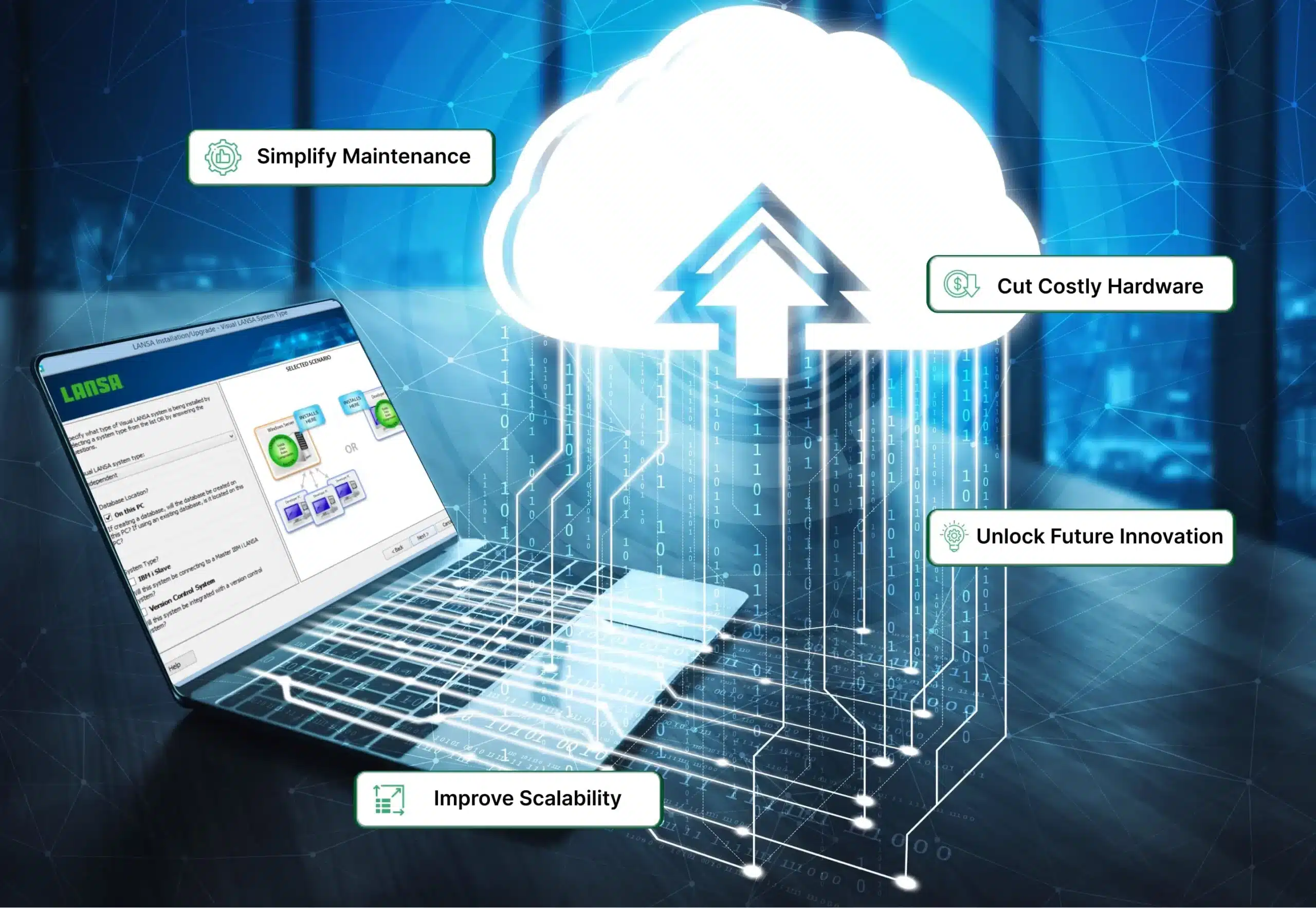


Is your business still relying on on-prem servers, dealing with high maintenance costs, and struggling with outdated hardware? In today’s digital age, cloud migration has emerged as a transformative strategy for companies seeking to modernize their infrastructure, improve scalability, and enhance accessibility. From cost savings and improved collaboration to heightened security and access to advanced technologies, cloud migration delivers a wide array of strategic advantages, making it a crucial necessity for modern organizations.
According to Gartner, cloud migration will become a business necessity by 2028, highlighting the undeniable shift toward cloud-based environments. Given the wide range of cloud migration services available today, it is essential to choose a partner that thoroughly understands your business. Cloud migration service providers like LANSA offer a wide range of services, from comprehensive assessment of your existing system to providing end-to-end support to help maximize your investment. By making the right migration choices, businesses can lay a strong foundation for digital transformation and ensure a more secure and scalable future.
Key Insights
- Understand Cloud Migration: Cloud migration is the process of moving data, applications, and IT infrastructure from on-premises systems to cloud environments to improve scalability, performance, and cost-efficiency.
- Explore cloud migration types and strategies: Organizations can choose from data center migration, hybrid cloud, cloud-to-cloud, or app-level migration, and align their efforts with the 7 Rs (Rehost, Replatform, Repurchase, Refactor, Retire, Retain, Relocate) based on their business needs and technical readiness.
- Benefits of migration: From enhanced scalability and cost savings to improved security, disaster recovery, and access to innovative technologies like AI and serverless computing, cloud migration delivers long-term business value and agility.
- Prepare for challenges: Cloud migration comes with common hurdles like downtime, data loss, compliance concerns, and integration complexities. Careful planning and phased execution help minimize risks and ensure a smooth transition.
- Leverage migration services: LANSA’s professional services offer robust cloud migration strategies for organizations, allowing them to unlock future innovation and simplify maintenance while eliminating costly hardware.
Read on to know more.
What is Cloud Migration?
Cloud migration is the process of moving digital assets, such as data storage, servers, applications, and even entire IT infrastructures, to the cloud, a vast online space that is powered by remote servers for storing and processing data.
Migrating to the cloud helps streamline operations by reducing hardware dependency and lowering IT maintenance efforts. Not only does it support seamless collaboration across global teams, but it also enhances business continuity with features like automatic backups and disaster recovery.
Cloud Migration Types
Cloud migration can take several forms, depending on the organization’s goals, infrastructure, and the specific resources being moved, with each type serving a different purpose and offering unique advantages. Below are the four primary types of cloud migration.
- Datacenter Migration: This type of migration involves relocating physical or virtual infrastructure from on-premises data centers to the cloud to improve scalability and reduce maintenance overhead.
- Hybrid Cloud Migration: In a hybrid cloud migration, businesses integrate on-premises infrastructure with cloud-based solutions to achieve enhanced flexibility, control, and scalability.
- Cloud-to-Cloud Migration: Cloud-to-cloud migration refers to transferring workloads, applications, or data from one cloud service provider to another, typically to take advantage of improved features, cost efficiency, or regional availability.
- App, Database, and Mainframe Migration: Application, database, and mainframe migration involves moving key components of legacy systems to the cloud to achieve better performance, flexibility, and scalability.
Benefits of Cloud Migration
From improving scalability and cost savings to enhancing security and faster innovation, cloud migration allows organizations to modernize their operations and stay competitive in a rapidly evolving digital landscape. Whether you are a startup or an enterprise, moving to the cloud can significantly transform how you manage and grow your IT resources. Read on to find out some of the well-known benefits that cloud migration offers:
Cost Efficiency
By moving to the cloud, businesses can shift from capital expenditures (CapEx) to operational expenditures (OpEx). Instead of investing in and maintaining costly on-premises hardware, companies would need to pay only for the resources they use, benefiting from predictable pricing models and reduced overhead costs.
Scalability and Flexibility
In addition to cost efficiency, cloud migration also allows organizations to easily scale their resources up or down based on real-time demand. This flexibility supports business growth without the need for heavy upfront investments in physical infrastructure, ensuring optimal performance during peak times and cost savings during low-usage periods.
Improved Security and Compliance
One of the major benefits of cloud migration is the fact that it provides access to advanced security tools and practices, including encryption, access controls, and continuous monitoring. These features help organizations enhance their data protection and meet regulatory compliance requirements more effectively than many traditional on-premises setups.
Disaster Recovery and Business Continuity
Considering the fact that cloud platforms are specifically designed with built-in redundancy and backup capabilities, they can effortlessly recover important data in case of system failures or disasters. This ensures minimal downtime and helps maintain business continuity even during unexpected disruptions.
Faster Innovation with Cloud-Native Technologies
Migrating to the cloud enables organizations to take advantage of cloud-native technologies such as microservices, containers (like Docker), Kubernetes, serverless computing, and managed services. These technologies are designed to work seamlessly in cloud environments, allowing teams to develop, test, and deploy applications more rapidly than with traditional infrastructure.
Common Cloud Migration Strategies (The 7 Rs)
Let’s face it, migrating to the cloud is a complex process that requires careful planning to minimize risks, optimize costs, and ensure operational continuity. The 7 Rs strategy, which includes rehosting, re-platforming, repurchasing, refactoring, retiring, retaining, and relocating, provides a structured approach to help organizations determine the best migration path for each application.
Initially developed by Gartner with five strategies (the original 5 Rs), it was later expanded to six by AWS. As cloud migration matured throughout the years, AWS refined the framework further into seven distinct strategies. Not only do these strategies help organizations transition to the cloud efficiently, but they also ensure that the migration occurs with minimal disruption. Below is an overview of each of the 7 Rs:
Rehosting (Lift and Shift)
Widely regarded as the simplest strategy for cloud migration, rehosting involves shifting applications, along with their dependencies, to the cloud with minimal or no modifications to their core infrastructure. In this approach, applications that are lifted from their current on-premise environment match their existing storage, networking, and other computing requirements.
Due to its simple “lift and shift” method, this strategy is usually used by organizations that are looking for a fast and straightforward migration path or those with resources who have limited cloud-native expertise.
Replatforming
Being an ideal choice for organizations that are aiming at both performance and simplicity, re-platforming is a cloud migration strategy that focuses on modifying certain aspects of an application without altering its core architecture or source code.
This strategy enables better use of cloud capabilities such as automation and scaling. In addition to that, it also enhances flexibility and agility while keeping costs, time investment, and the migration workload low and manageable.
Repurchasing
If you are struggling with underperforming legacy workloads, then repurchasing can be a highly effective migration strategy as it replaces outdated systems with modern, cloud-based solutions that offer improved performance and lower maintenance overhead.
Rather than migrating outdated systems, this approach involves replacing them with cloud-based Software as a Service (SaaS) solutions that offer equivalent or enhanced functionality.
By adopting third-party cloud applications for their repurchasing migrations, organizations can move away from legacy infrastructure, streamline operations, and transition to a more flexible, subscription-based cost model.
Refactoring (Re-architecting)
Among the 7Rs, refactoring can be considered the most complex and resource-intensive strategy as it often requires a complete overhaul of the application architecture. The process involves completely redesigning or rewriting applications in order to fully leverage cloud-native features.
It also includes breaking down monolithic applications into microservices and integrating advanced automation to enable greater scalability. Although this strategy might seem demanding, it is the most future-ready approach, offering long-term flexibility and performance benefits.
Retire
Often considered the first step in a cloud migration strategy, retiring involves identifying and removing applications or infrastructure components that are no longer useful. This strategy ensures that only necessary and valuable workloads are transitioned to the cloud.
By removing redundant or outdated assets, organizations can not only reduce maintenance costs but also lower security risks that are associated with legacy assets and simplify their IT landscape.
Retain
When migrating to the cloud, organizations do not need to move all their on-premises components at once. The retaining strategy focuses on keeping certain workloads in their existing on-premises environment, often because they are too complex, tightly integrated, or time-consuming to migrate immediately. This approach is also useful for legacy systems that are still critical to operations or bound by compliance requirements.
Relocate
Last but not least, Relocation is a relatively new strategy that enables entire environments to be migrated to the cloud without rewriting applications or purchasing new hardware. It is commonly used in virtualized environments, such as VMware, where systems can be transferred as-is into cloud-based equivalents.
In addition to bringing predictability to migration costs by avoiding the need for large-scale architectural changes, this method also helps minimize downtime during migration, since there is no need to rebuild or reconfigure applications.
The Cloud Migration Process/Phases
While many organizations are drawn to cloud migration for its flexibility, agility, security, and cost-efficiency, it is often underestimated as a straightforward task. But, in reality, it is a multi-phase journey that demands a structured approach for organizations to reap its complete advantages.
By following a systematic cloud migration process, IT teams can ensure minimal disruption and long-term success of their cloud migration. Here is a detailed explanation of the ideal cloud migration process you need to follow for a sustainable transition to the cloud.
Step 1: Assess Your Current Infrastructure
The first phase is to thoroughly audit your current IT environment. This means taking stock of everything, from your applications and databases to workloads, storage systems, servers, and network setup, and how all these components are connected and depend on each other.
Through this assessment, you would be able to uncover any performance bottlenecks, legacy systems that are nearing end-of-life, compliance requirements, licensing constraints, and areas that require high operational costs.
The goal of this step is to establish a baseline of your infrastructure for cloud adoption, uncover any potential challenges that could impact migration, and evaluate the total cost of ownership in both current and future cloud states.
Step 2: Define Your Business Goals
Once the infrastructure is assessed fully, the next step is to clearly define what your organization aims to achieve through cloud migration. This involves reducing capital expenditures, increasing scalability, enhancing disaster recovery capabilities, improving application performance, or enabling global accessibility for distributed teams.
While defining your business goals, you need to make sure that they are measurable and aligned with your broader business priorities, such as digital transformation or geographic expansion.
Step 3: Choose the Right Cloud Deployment Model
After defining your business goals, you should move on to selecting the appropriate cloud deployment model. This should be done based on several factors like workload requirements, data sensitivity, compliance considerations, and budget constraints. Here are the three different types of cloud deployment models that you can choose from.
Public Cloud – AWS, Azure, Google Cloud, IBM Cloud
When opting for a public cloud model, organizations leverage infrastructure and services provided by third-party vendors such as AWS, Microsoft Azure, Google Cloud, and IBM Cloud. This model is ideal for most enterprise workloads, especially those that require cost flexibility, unlimited scalability, global availability, and access to cutting-edge innovations like AI, machine learning, and serverless computing.
Private Cloud – VMware, IBM Private Cloud, Azure Stack
A private cloud, unlike a public cloud, is deployed and maintained either on-site or via a dedicated provider such as VMware Cloud, IBM Private Cloud, or Azure Stack. These allow organizations to maintain a higher level of control over their infrastructure and data. This model is particularly suited for industries such as healthcare, finance, and government, where regulatory compliance and data sovereignty are the top priorities.
Hybrid Cloud – Azure Arc, AWS Outposts, IBM Cloud Satellite
The third deployment model, a hybrid cloud model, combines elements of both public and private clouds, offering the flexibility to run workloads across multiple environments while enabling integration between on-premise data centers and public cloud infrastructure. The Hybrid cloud model is ideal for businesses that want to gradually transition to the cloud or that need to keep sensitive data and latency-sensitive applications on-premise while offloading other workloads to the cloud.
Step 4: Select a Migration Strategy
With the deployment model selected, the next step is to move on to choosing the most suitable migration strategy. The 7 Rs framework, which includes Rehost, Replatform, Repurchase, Refactor, Retire, Retain, and Relocate, discussed above, provides a structured way to determine how different applications and systems should be handled during the migration.
Step 5: Plan the Migration Process
After selecting a migration strategy, you should develop a detailed roadmap for executing your cloud migration by setting timelines, defining KPIs, prioritizing workloads based on business criticality, and determining which teams or third-party vendors will be responsible for various tasks.
Step 6: Execute the Migration
Once you have wrapped up the planning phase, it is time to start the actual migration. This is when you need to move your workloads from your on-premise setup to the cloud using the strategies you have selected. This phase is typically done in waves or phases, starting with non-critical workloads before scaling up. During this step, IT teams closely monitor application latency and integration points to ensure functionality remains intact.
Step 7: Monitor and Optimize Post-Migration
After the migration is complete, you should continuously monitor all systems and track key performance indicators such as application response times and resource utilization to ensure peak efficiency and identify areas for improvement. It is also essential to re-evaluate security policies if needed and implement cloud-specific compliance controls so that the cloud investment continues to meet business goals and other regulations.
Common Challenges in Cloud Migration
While there’s no denying the fact that cloud migration can help enhance scalability and reduce IT infrastructure costs, it is also a complex process that might present several technical or operational hurdles along the way. In order to proactively prevent and strategically overcome these challenges, you need to be well ahead in terms of understanding them and how they impact the success and overall efficiency of the transition. Below are the most common challenges that organizations should know for effective planning and risk mitigation:
Downtime
Let’s face it, any occurrence of downtime during migration can severely disrupt business operations, especially when critical applications are involved. This challenge often arises due to misconfigured environments, inadequate testing, or network latency issues during data transfers. These unplanned outages not only result in lost revenue but can also erode customer trust.
Security & Compliance Considerations
Cloud migration introduces a new security landscape, shifting data from a confined on-premise perimeter to shared environments. As a result, encryption, access control, and continuous monitoring become critical components of protecting that data.
Additionally, data migration in highly regulated industries such as healthcare and government must comply with strict regulatory standards, as non-compliance can result in hefty fines and legal consequences.
Data Loss
The risk of data loss is a serious concern during cloud migration, particularly when moving large datasets across different architectures. In many cases, backup strategies are either insufficient or not tested properly for restoring data. To address this, organizations must implement robust backup protocols, validate data integrity throughout the migration lifecycle, and ensure version control.
Cost & Resource Management
Cloud services operate on a consumption-based pricing model, which can lead to unpredictable costs if they are not carefully monitored. Many organizations underestimate the cost of data transfer and storage tiers, which often leads to unprecedented costs.
Beyond technical inefficiencies, cost management is often compromised by organizational challenges such as skill gaps and insufficient training. Additionally, the absence of clearly defined KPIs during the migration process hampers the efforts to track financial performance and validate ROI.
Data Exchange (between applications and newer cloud environments)
Legacy applications often have deeply integrated system environments that can break when moved to the cloud. These challenges are further amplified when existing systems need to exchange data with new cloud-native applications or services.
In addition to that, issues such as data format incompatibility, API limitations, and latency can hinder real-time data exchange between applications and newer cloud environments.
How can LANSA Help with your Migration Efforts?
With LANSA’s professional cloud migration services businesses can effortlessly move their legacy applications to the cloud through a structured and low-risk migration approach, without the need for costly and time-consuming rewrites.
LANSA’s end-to-end migration services begin with a comprehensive assessment of the existing environment to determine the optimal strategy for your migration. Not only does LANSA securely transfer applications to the cloud, but also rigorously tests and offers post-migration support to ensure continuous functionality.
With complete support for hybrid environments, organizations can migrate at their own pace to cloud providers like Amazon Web Services or Microsoft Azure and can eliminate outdated hardware, simplify ongoing maintenance, and unlock long-term innovation potential.
LANSA’s expert team has collaborated with various clients for their migration needs. For example, one of the world’s largest radio station networks turned to LANSA to migrate its advertising scheduling application to AWS. In just three months, LANSA successfully removed all IBM i dependencies from the web application, ensuring a smooth and efficient transition to the cloud.
If you would like to know more about cloud migration and how LANSA can help with this transformation, don’t miss out on our webinar, which provides an in-depth explanation of how our services can provide long-term business value through robust cloud migration.
Conclusion
In today’s era of cut-throat online competition, cloud computing is no longer just an option for businesses. It has become a necessity for organizations looking to stay competitive in a fast-evolving landscape. Not only does cloud migration help businesses to re-architect legacy systems, but it also allows them to adopt agile development practices that enable faster deployment of new features and services.
With deep expertise in cloud migration, LANSA’s professional services make it possible for you to execute migrations that surpass lift-and-shift methods, delivering modernization-ready environments that are tailored to your business needs.
Get in touch with us today to discover how we can help you turn your cloud migration into a strategic leap forward for your organization or business.
References
[1] Gartner, “Gartner Says Cloud Will Become a Business Necessity by 2028,” Gartner, Nov. 29, 2023. https://www.gartner.com/en/newsroom/press-releases/2023-11-29-gartner-says-cloud-will-become-a-business-necessity-by-2028
[2] “Migrating Applications to the Cloud: Rehost, Refactor, Revise, Rebuild, or Replace?,” Gartner. https://www.gartner.com/en/documents/1485116