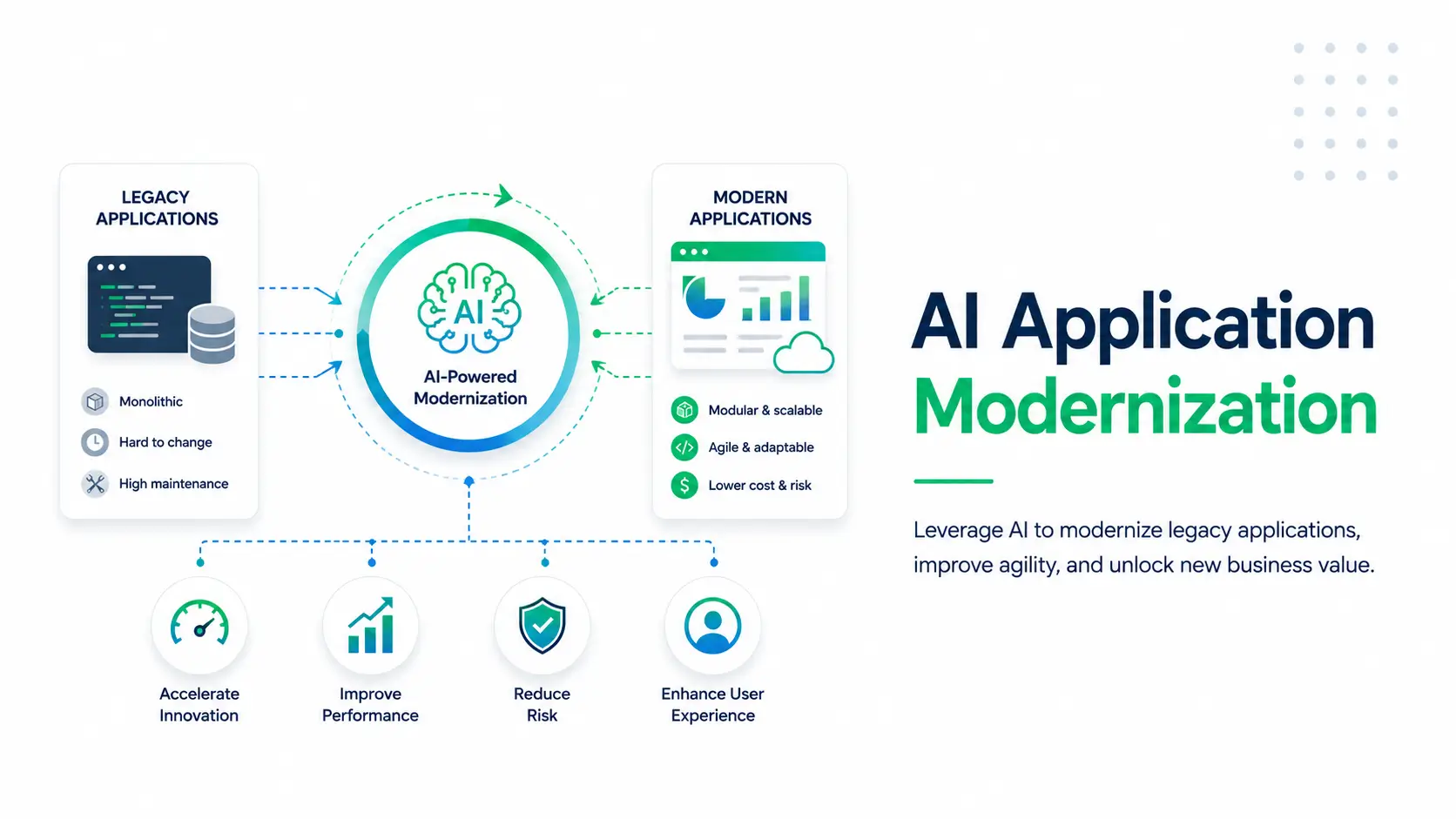


Working effectively with legacy code isn’t about starting over. It’s about making what already exists work better.
Most organizations still rely on legacy systems like AS400 platforms, COBOL backends, large Java monoliths etc., to run critical operations. A 2025 survey of 500+ IT professionals revealed that 62% of organizations still rely on legacy software systems. But over time, these systems become harder to understand, riskier to change, and slower to evolve.
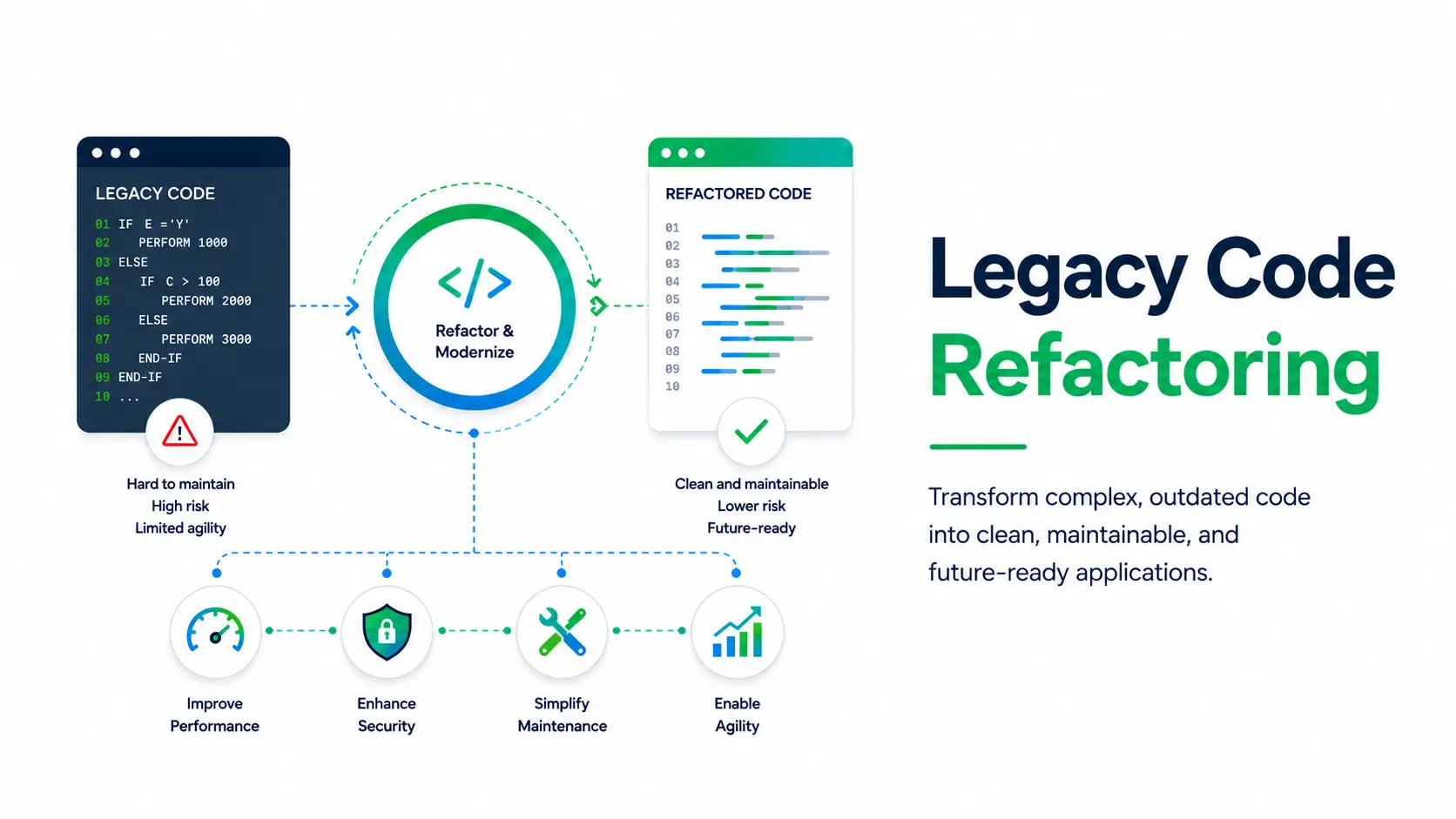
That’s where legacy code refactoring comes in. Instead of rewriting everything, teams improve existing code step by step, reducing complexity, minimizing risk, and making systems easier to maintain and modernize.
In this guide, we’ll break down why working with legacy code is challenging and how you can refactor legacy code safely and effectively.
Key Insights
- Legacy code refactoring is the process of improving existing software systems by restructuring code so it becomes easier to maintain, safer to modify, and compatible with modern technologies without disrupting operations.
- It matters because most enterprises rely on complex, tightly coupled legacy systems that slow development, increase risk, and limit integration with modern platforms and AI-driven environments.
- This approach works through a structured process that includes understanding system behavior, aligning with current business needs, defining a clear target architecture, and executing incremental, well-tested changes.
- Successful execution depends on minimizing risk through small, controlled updates while improving scalability, reducing maintenance costs, and enabling faster delivery of new features and integrations.
- LANSA supports this process with LAIR, using AI-assisted analysis and guided refactoring to help organizations modernize legacy systems more efficiently, safely, and at scale.
Why Is Working Effectively with Legacy Code Challenging?
Working effectively with legacy code is challenging because these systems rarely exist in isolation. They often support active production workflows, depend on surrounding applications, and run inside operational environments that cannot tolerate unexpected downtime.
This means even small code changes must be approached carefully, with a clear understanding of system behavior, dependencies, and business impact.
Challenge #1: Maintenance and Technical Debt
Over time, legacy systems start to feel heavier than they look. What once worked smoothly slowly turns into a web of quick fixes, patches, and workarounds. This is what we call technical debt and it builds up quietly. Eventually, even a small change can feel risky because no one is fully sure what it might break.
It’s not just a feeling either. According to CAST’s 2025 report, teams around the world are spending billions of workdays just trying to deal with these legacy systems Instead of building new features, developers are stuck figuring out what old code is doing and why it was written that way in the first place.
Challenge #2: Integration With Modern Environments
Now imagine trying to connect that old system to something new like a modern application, API, or AI tool. That’s where things get frustrating. Many legacy systems weren’t built to communicate easily with others, so they end up sitting in isolation.
The MuleSoft 2026 report highlights this clearly, 50% of AI agents operate in isolated environments. And legacy systems are a big reason why. Without proper APIs or integration layers, connecting systems becomes slow, complex, and sometimes impossible. As a result, innovation gets delayed, and teams struggle to build seamless workflows across platforms.
Challenge #3: Performance and Scalability Constraints
Legacy systems were never designed for today’s scale. They weren’t built for cloud environments, real-time data, or millions of users. So when demand increases, cracks start to show.
A process that once worked fine suddenly slows down under pressure. A small inefficiency buried deep in the code becomes a major bottleneck. Without carefully identifying and fixing these issues through refactoring, performance drops and in some cases, critical operations can fail altogether.
Learn more about migrating IBM i applications to the cloud in this recorded webinar.
Challenge #4: Security and Risk Exposure
Security is another area where legacy systems often fall behind. Many of them were built before modern security practices became standard, which means vulnerabilities can exist deep within the code.
The risk is real; IBM reports that the average cost of a breach in legacy environments in 2025 is $4.4M. And the challenge is that even small updates can unintentionally introduce new risks. That’s why teams often have to slow down, double-check everything, and invest heavily in testing before making changes.
Challenge #5: Knowledge Gaps and Hidden Dependencies
One of the most frustrating parts of working with legacy code is not the code itself. It’s the missing context. The original developers may have left years ago, and documentation is often outdated or incomplete.
So teams are left guessing. A small function might depend on something buried deep in another module. A change in one place might break something completely unrelated. Developers spend hours, sometimes days, just trying to understand how things are connected.
And that uncertainty is what makes working effectively with legacy code so difficult. Without clear visibility, every change feels like stepping into the unknown.
What is Legacy Code Refactoring?
Legacy code refactoring focuses on improving the existing codebase step by step. It involves restructuring code so it becomes easier to understand, safer to change, and more compatible with modern systems without altering how the system behaves.
There are several ways to modernize legacy applications; rewriting the code, rebuilding the system, or using a hybrid approach. But in most real-world scenarios, refactoring legacy code is the most practical and low-risk option.
In simple terms, it’s about making old code work like new without rewriting it from scratch.
Benefits of Refactoring Legacy Code
At first glance, refactoring might seem like just “cleaning up code.” But in reality, it changes how teams work, how fast they move, and how confidently they can build on top of existing systems.
When done right, refactoring legacy code doesn’t just improve the system, it removes the everyday friction that slows teams down and introduces risk.
1. Reduced Maintenance and Development Costs
In many legacy systems, the same piece of logic is repeated across multiple places. So even a small change like updating a pricing rule means touching several parts of the code. This increases the chances of bugs and inconsistencies. Refactoring removes these duplications, making fixes faster and reducing the time spent debugging recurring issues.
2. Alignment With Modern Best Practices
By reorganizing and modularizing legacy code, teams can align existing systems with current coding standards and design patterns. This becomes especially important during code reviews, where enforcing practices like unit testing or separation of concerns is nearly impossible in tightly coupled codebases.
3. Improved Scalability and Reliability
Once tangled or monolithic sections are broken into smaller, well-defined modules, performance issues become easier to identify and address. For example, a batch processing job that slows down under higher load often contains inefficient loops or database calls buried deep in the code. Refactoring exposes these issues early, before they impact production systems.
4. Enablement of Future Innovation
Refactoring creates a predictable, stable foundation. Teams can introduce new features without needing to revalidate unrelated parts of the system every time. In practice, this means features stop getting delayed simply because no one is confident enough to touch the existing code.
5. Enhanced Interoperability and Integration
Legacy systems often struggle to connect with modern tools and platforms. Through legacy code refactoring, teams can create cleaner boundaries and interaction points, making it much easier to expose APIs or integrate with external services without digging through complex internal logic.
Refactoring vs. Other Modernization Strategies
Refactoring isn’t the only path to updating legacy systems, as we mentioned earlier. Rewriting, rebuilding, or hybrid approaches all exist, but each comes with trade-offs. Below, we’ve compared these strategies to clarify why refactoring often emerges as the most practical choice for teams working with legacy code.
Refactoring vs. Rewriting Code
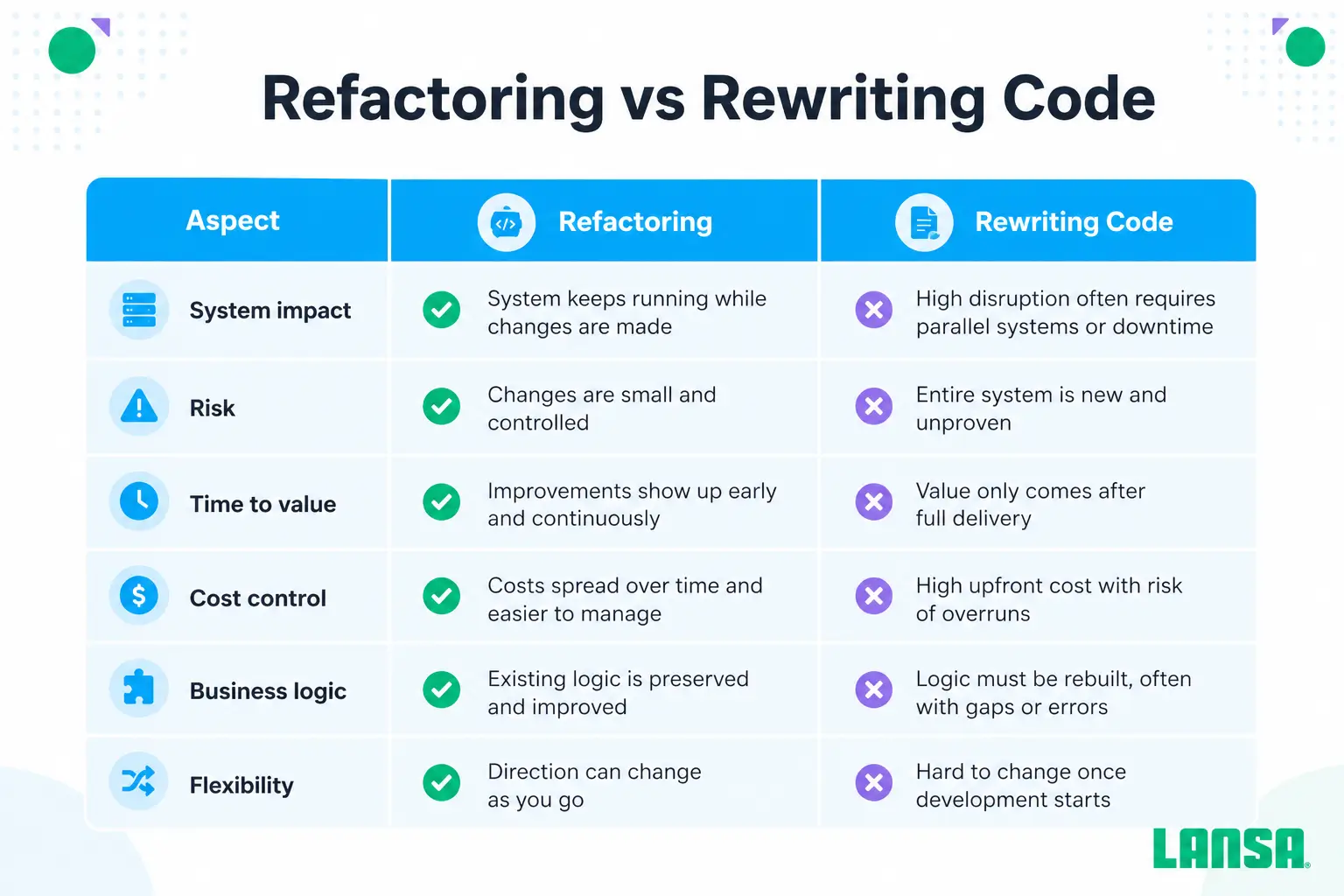
Rewriting code means discarding the existing system and building it again from scratch. While it might seem like a clean slate, in reality, it comes with high risk, hidden costs, and significant disruption to ongoing operations. Large-scale rewrites can take months or even years. Now, during that time, critical business processes still need to run, often forcing temporary workarounds that introduce additional complexity.
In contrast, refactoring works incrementally, improving the code you already have without halting day-to-day operations.
Here’s how the two approaches compare in real scenarios:
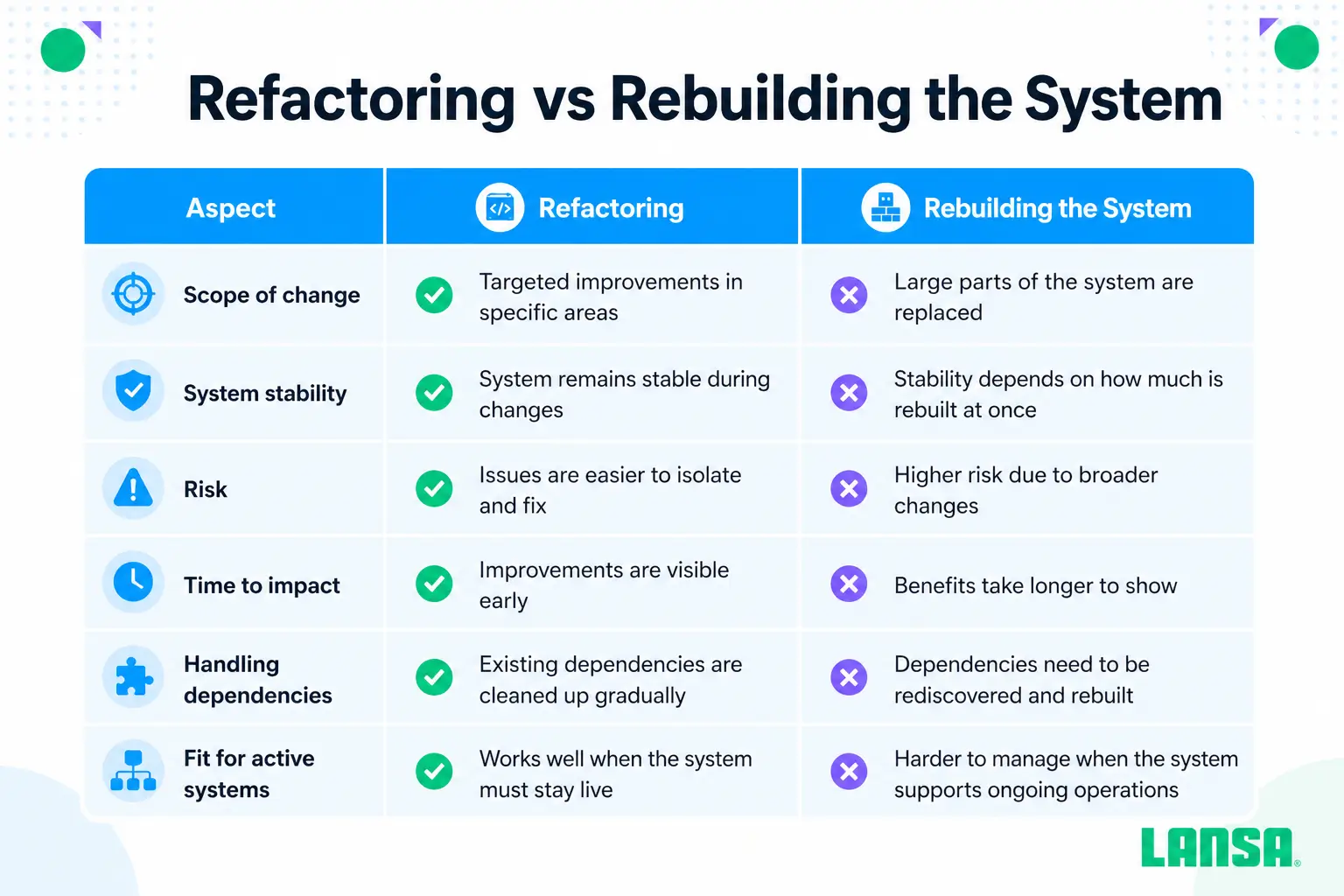
Refactoring vs. Rebuilding the System
Rebuilding usually means redesigning the system while keeping the core idea intact. It’s not a full rewrite, but it still involves replacing large parts of the application, often to move to a new architecture or platform.
Refactoring takes a more controlled approach. It focuses on improving what already exists without stepping away from the current system.
Here’s how they compare in practice:
Hybrid Modernization Approaches
Most of the time, enterprises don’t stick to just one approach. They often combine refactoring, rebuilding, and selective rewriting based on what the system actually needs.
For Instance:
You might refactor core order processing logic because it’s tightly tied to business rules and too risky to replace, rebuild the frontend to improve user experience, and rewrite smaller background jobs that are easier to isolate.
How to Know If Refactoring Is Right for You?
Choose Refactoring if:
- Small changes take too long because dependencies and side effects are hard to trace
- You’re dealing with code smells like duplicated logic or tightly coupled modules
- The system works, but every change feels risky and needs extra validation
- Business logic is stable and too complex to rebuild from scratch
- You need to keep the system running with no room for downtime
If not, choose:
- Rewriting: when the system is small or too outdated to justify keeping
- Rebuilding: when the logic is fine but the architecture blocks performance or scale
- Hybrid: when some parts are worth keeping and others need replacing
How to Refactor Legacy Code: Key Steps
A clear understanding of your system behavior, business impact, and risk is essential before refactoring legacy code.
Below, you can find the 5-step process for refactoring legacy code without breaking anything in the middle.
Step 1: Assess the Current System
Start by identifying which parts of the system change often and which ones quietly break things when touched. Look for tight coupling, hidden dependencies, and areas where developers hesitate to make changes.
Step 2: Revisit Product and Business Requirements
Legacy systems often carry outdated assumptions. Before changing anything, confirm what still matters to the business today and what no longer needs to be preserved.
Step 3: Define the Target Architecture
You don’t need a perfect end-state, but you do need direction. Decide what “better” looks like, whether that’s modular code, clearer boundaries, or improved data flow.
Step 4: Execute Incremental Refactoring
Avoid large changes. Break work into small, reversible updates so issues can be isolated quickly without affecting the rest of the system.
Step 5: Validate Through Testing and Performance Evaluation
Every change needs verification, not just for correctness but for side effects. Watch how the system behaves under real usage, not just in controlled test cases.
5 Tips for Refactoring Legacy Code
Refactoring in enterprise environments is rarely straightforward, as systems are large and tightly integrated with vital business processes.
Following the tips mentioned below, you can refactor complex legacy code without making any mistakes that can halt operations.
Tip #1: Understand the Existing System First
Jumping in without mapping dependencies is a recipe for outages. Identify tightly coupled modules, spot hidden workflows, and flag code smells early. Knowing the areas with the highest operational risk allows targeted refactoring rather than blind changes.
Tip #2: Refactor Incrementally Instead of Rewriting
Large rewrites often get derailed by business deadlines. Break refactoring into micro-increments, tackling one component or module at a time. This approach ensures continuous delivery, reduces rollback risk, and lets teams validate the system after each change.
Tip #3: Isolate Changes to Limit Impact
Legacy systems often ripple through multiple applications. Contain your changes using feature flags, dedicated branches, or sandboxed environments. This way, you can restructure a critical module without accidentally affecting production workflows elsewhere.
Tip #4: Separate Refactoring From Functional Changes
Mixing new features with refactoring is a common cause of hidden bugs. Always decouple structural improvements from feature delivery. This keeps testing simple and traceability clear and ensures refactoring decisions don’t get lost under feature pressure.
Tip #5: Keep New Code Clean and Well-Tested
Improving code structure is pointless if new changes introduce fragility. Apply unit tests, automated regression checks, and peer reviews to every refactored module. It’s to future-proof the system for maintainability.
Tip #6: Use AI to Accelerate and De-Risk Refactoring
Modern AI tools can help analyze large codebases, identify patterns, detect dependencies, and suggest safer ways to restructure logic. Instead of manually reviewing thousands of lines of code, teams can use AI to speed up analysis and reduce human error while keeping full control over implementation decisions.
For a deeper look at how this works in practice, see our guide on AI-powered code refactoring.
Final Takeaway
At a certain point, working effectively with legacy code stops being just a technical challenge. It becomes a scale problem.
When systems grow into thousands of programs, manual refactoring starts to break down. Dependencies become harder to trace, logic is scattered across modules, and even small changes can trigger unexpected issues in production. What used to be manageable turns into slow, high-risk work.
This is why many enterprises are now turning to AI-assisted approaches for legacy code refactoring.
This shift toward AI-driven modernization is reflected in tools like LAIR by LANSA, which help teams reduce both the time and cost of refactoring at scale. Rather than forcing developers to dig through thousands of lines of code, LAIR acts as an intelligent assistant: analyzing systems, estimating transformation effort, and guiding teams through safe, step-by-step refactoring.
What once required months of manual effort can now be done faster, with more clarity and less risk.
In the end, the question is no longer whether to refactor legacy systems. It’s how to do it efficiently, safely, and at scale without slowing down the business.
References
[1] “2025 Survey of IT Professionals on Legacy Systems Usage.”
https://www.saritasa.com/insights/legacy-software-modernization-in-2025-survey-of-500-u-s-it-pros
[2] “Working Effectively with Legacy Code | Book by Michael Feathers.”
https://www.amazon.com/Working-Effectively-Legacy-Michael-Feathers/dp/0131177052?asin=0131177052&revisionId=&format=4&depth=1#customerReviews
[3] “State of Global Technical Debt 2025 | CAST.”
https://www.castsoftware.com/ciu/coding-in-the-red-technical-debt-report-2025
[4] “MuleSoft Connectivity Benchmark Report 2026.”
https://www.mulesoft.com/lp/reports/connectivity-benchmark
[5] “Cost of a Data Breach Report 2025 | IBM Security.”
https://www.ibm.com/reports/data-breach
[6] “Transform Monolithic Applications to Microservices with Mono2Micro | IBM.”
https://developer.ibm.com/articles/mono2micro-automate-application-refactoring-using-ai/